
12 Best Sales Role Play Software Platforms for Sales Teams

Your VP of Sales wants roleplay practice before next week's product launch. You need to coordinate schedules across 50 reps in different time zones, find managers willing to play prospects, and somehow measure who's actually ready. By the time you arrange the first session, the launch is over.
This coordination problem explains why most sales teams avoid roleplay despite knowing it works. AI sales roleplay software eliminates these logistical challenges, making realistic practice instantly accessible when your business needs it.
This article covers what sales role play software is, why it matters for closing the learning-doing gap, and how to evaluate the top platforms for your team.
What is Sales Role Play Software?
Sales role play software is a technology platform that enables sales teams to practice customer conversations through simulated scenarios, providing feedback and performance measurement to improve real-world selling effectiveness.
Think of it as an on-demand practice environment. Your reps face realistic customer scenarios whenever they need preparation, get immediate feedback on their performance, and track skill development over time.
The core components include scenario simulation engines, performance evaluation systems, and analytics that connect practice to business outcomes.
The format matters more than you might expect. Voice-based platforms force real-time responses under pressure, similar to actual customer calls. Text-based alternatives feel more like taking a quiz.
That difference determines whether practice triggers the stress response your brain needs to build genuine conversation skills or just tests existing knowledge.
Why Sales Role Play Software Matters for Your Team
You've seen this pattern before. Your team completes training, understands the methodology, and still struggles when prospects push back. That gap between knowing and doing costs deals every quarter.
Sales role play software solves this by creating practice environments where skills actually transfer to performance.
Closes the Gap Between Knowledge and Execution: Understanding SPIN methodology and executing discovery questions under customer pressure are completely different skills. Voice-based simulations create that pressure, forcing quick thinking when prospects respond unexpectedly. The repetition builds instinctive responses that survive actual customer interactions.
Matches Business Timelines Instead of Training Development Cycles: Waiting months to develop training scenarios doesn't work when competitive situations demand immediate response. Modern platforms deploy custom practice environments in minutes through agentic creation tools. This speed becomes critical during product launches or when competitors introduce new objections that require rapid preparation.
Proves Training ROI Through Business Metrics: Completion rates tell you nothing about readiness. Advanced platforms reveal which team members handle objections confidently and which ones struggle under pressure. You can correlate practice engagement with deal velocity, win rates, and quota attainment, transforming budget conversations from defending training spend to demonstrating revenue impact.
Scales Across Distributed Teams Without Coordination Complexity: Geographic distribution shouldn't determine practice quality. On-demand scenarios work across time zones without finding internal trainers or coordinating schedules. Each person receives personalized feedback at scale, maintaining consistency while eliminating the coordination nightmare that kills traditional roleplay adoption.
Builds Confidence for High-Stakes Customer Moments: Practicing objection handling in safe environments where mistakes don't cost opportunities significantly reduces anxiety. After experiencing challenging scenarios multiple times during simulation, your team enters real conversations with confidence built from repetition. They've already handled similar situations and developed effective responses.
The 12 Best Sales Role Play Software Platforms
These platforms serve different team sizes and use cases based on user reviews, feature sets, and actual implementation requirements.
Platform Comparison at a Glance
Name | Practice Format | Best For | Pricing | G2 Rating |
Exec.com | Voice and video avatar roleplay, screen share | Sales, service, and support teams | Free plan; paid from $20/seat/mo | |
Mindtickle | Voice roleplay, screen share, system simulator | Enterprise revenue enablement | Not public | |
Outdoo AI | Voice, chat, and video avatar roleplay | AI buyers built from your calls and CRM | Free plan; paid plans quote-only | |
Second Nature | Voice and video avatar roleplay, screen share | Enterprise onboarding and certification | Not public | |
Hyperbound | Voice roleplay, screen share, multi-stakeholder calls | SDR and AE teams | Free tier; paid plans quote-only | |
Quantified | Video avatar roleplay, screen share | Life sciences and regulated industries | Not public | |
PitchMonster | Video, phone, and screen-share roleplay | Certifying reps before live calls | Not public; free trial | |
Zenarate | Voice, chat, email, and avatar simulations | Contact centers | Not public | |
TrainHQ | Voice roleplay, screen share | Roleplay plus real-call scoring | Consumption-based; not public | Not listed |
Allego | Video avatar roleplay | Teams buying a full enablement platform | Not public | |
Kendo | Text or voice roleplay, call scoring | Small and mid-size sales teams | From $55/seat/mo; free trial | Not listed |
SmartWinnr | Avatar roleplay, screen share, gamification | Pharma, insurance, and banking | Not public |
1. Exec: AI Roleplay, Call Scoring, and an LMS in One Platform
What it does best: Custom AI roleplays by voice or video avatar, with real-call scoring and courses in the same platform
Exec is an AI-native training platform for customer-facing teams. We specialize in training sales, service, and support teams, as well as those with management responsibility. Your people practice custom AI roleplays, get scored on real calls, and access courses and programs in a full LMS/LXP.
Your enablement team describes a situation in plain language, such as a competitor's price increase or a new objection from the field, and Scenario Studio builds a ready-to-practice scenario in about two minutes. The AI buyer responds to what the rep actually says, so reps practice thinking on their feet instead of reading from a script.
Key Features
Scenario Studio
Describe the situation, and Scenario Studio builds the scenario. You can ground scenarios in your own product material through the Knowledge Hub, or turn a recorded customer call into a scenario.

A sales enablement leader opens Exec and says: "Create a scenario where a prospect is happy with their current vendor, but our competitor just raised prices 20%. The prospect is open to a conversation, but skeptical that we can match their existing workflow integrations."
Scenario Studio builds it in about two minutes. The rep enters the roleplay.
AI Prospect: "Look, I'll be honest. We've been with Acme for three years. Yes, their price increase is frustrating, but switching vendors is a massive headache. What makes you think this conversation is worth my time?"
Rep: "I understand the switching costs concern. Many of our customers came from Acme specifically because of pricing changes. We've built migration tools that—"
AI Prospect: "Migration tools are nice in theory. Last time we switched platforms, it took four months, and we lost data. How is this different?"
The rep freezes, unsure how to address the specific integration fear without overpromising. Session ends. AI feedback appears: "You acknowledged switching costs but pivoted to your solution before fully understanding their integration requirements. Ask which specific integrations they rely on most before discussing migration. Their Acme workflow might depend on features you don't replicate."
The rep reruns the scenario. This time, they ask about specific integrations before mentioning migration tools. The conversation shifts from defending against skepticism to collaboratively mapping which workflows matter most.
Voice and Video Avatar Roleplays
Reps can practice by voice or face a lip-synced video avatar. A scenario can include up to four AI characters, so a rep can handle a buyer and their CFO on the same call. Roleplays run in nine languages, including Spanish, French, German, Japanese, and Korean.
Call Scoring and Skill Analytics
Exec scores recorded customer calls from Gong, Fireflies, or Microsoft Teams against your own scorecards. Skill analytics then show each rep's proficiency across roleplays and scored calls, so managers can see which skills need coaching.
Custom Rubric Design
Build your own evaluation criteria and score every session against your methodology, whether that's MEDDIC, SPIN, Challenger, or a framework of your own. Custom rubrics are available on the Starter plan and above.
Screen Sharing for Presentation Practice
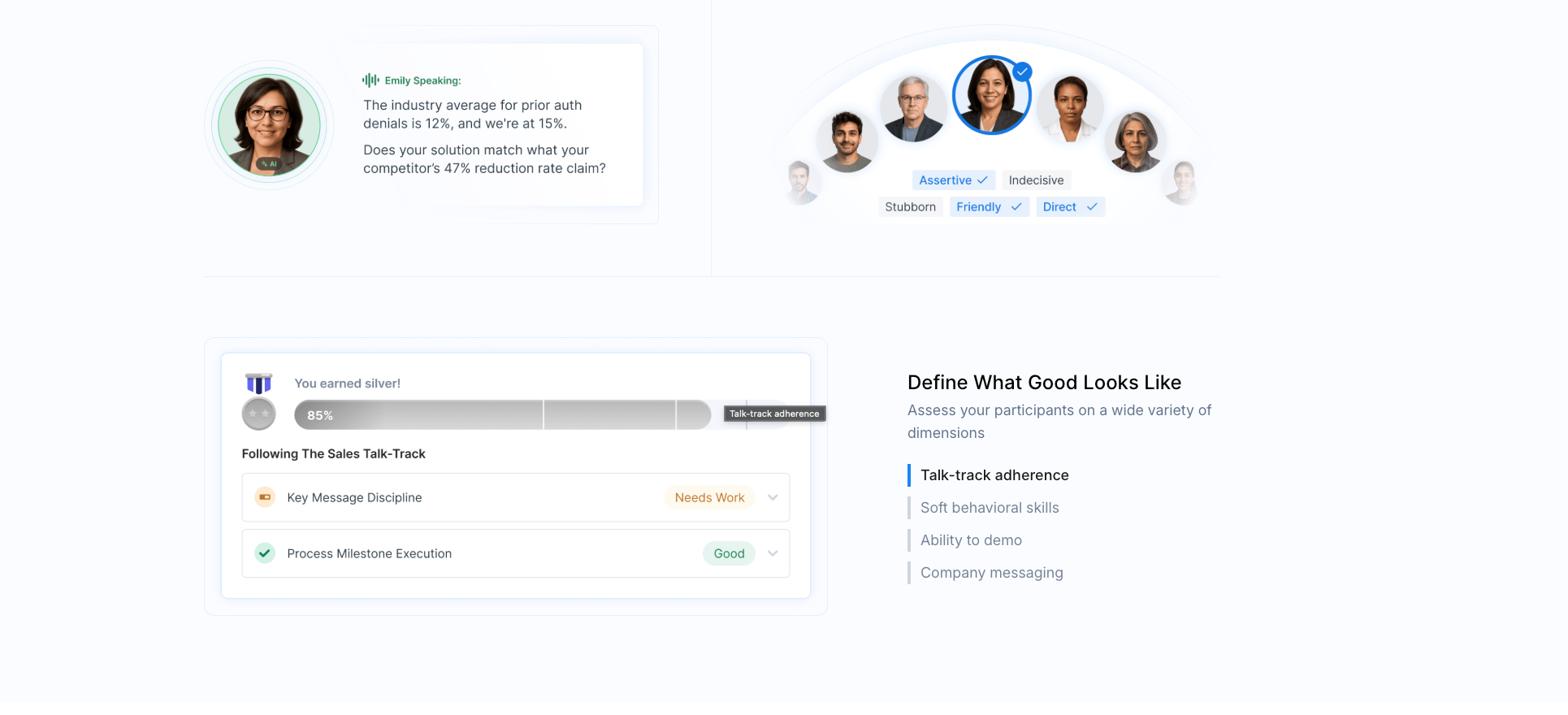
Reps can present slides, walk through a product demo, or share a dashboard during the roleplay. The AI character sees what's on screen and reacts to it, so the rep has to explain the chart the buyer is looking at. Screen sharing is available on the Professional plan and above.

Courses, Programs, and Certifications
Exec includes a full LMS/LXP. You can build courses with the AI course builder, group courses and roleplays into programs, and certify reps when they pass. If your company already has an LMS, you can embed Exec roleplays in it through LTI 1.3.
Pros:
Reps can practice by voice or with a video avatar, alone or in scenarios with several AI characters
Scenario Studio builds a custom scenario in about two minutes
Roleplays, real-call scoring, and courses live in one platform, so practice and training don't need separate tools
A free plan, plus paid plans with published prices starting at $20 per seat per month, billed annually
Cons:
Scenarios need your product details and buyer context before they feel specific to your business
Screen sharing requires the Professional plan, and group roleplays require Enterprise
Paid plans have seat minimums, 5 seats on Starter and 15 on Professional
Best for: Sales, service, and support teams, and the people who manage them, that want roleplay, call scoring, and an LMS in one platform
2. Mindtickle: AI Roleplay Inside an Enterprise Enablement Platform
What it does best: Voice AI roleplay and screen-share practice inside a full revenue enablement platform
Mindtickle is a revenue enablement platform, and AI roleplay is one part of it. Reps practice by voice against AI buyers whose voice and personality you choose, and they can share their screen to rehearse demos and presentations. For contact-center teams, Mindtickle's AI simulator has reps work in near-live versions of the applications they use on the job.
In April 2026, Mindtickle launched ElevateOS, which puts its AI agents for roleplay, tutoring, manager coaching, and deal guidance into one system. Its Real Deal roleplays build a scenario from a rep's open deal in the CRM. If you want roleplay, readiness tracking, and deal guidance from one vendor, Mindtickle covers all three.
Key features:
Voice AI roleplay with buyer personas you configure
Screen sharing for demo and presentation practice
AI simulator for contact-center reps working in near-live applications
Real Deal roleplays built from a rep's CRM deal context
Salesforce integration, so reps see coaching inside Salesforce
Pros:
Roleplay sits next to readiness, coaching, and deal guidance in one platform
Used by large enterprises such as Cisco and Thomson Reuters
Readiness data syncs with Salesforce and HubSpot
Cons:
Pricing isn't published, and there's no self-serve free version
More platform than you need if your team only wants roleplay
Best for: Enterprise revenue enablement teams, especially in cybersecurity, pharma, medical devices, and financial services, where Mindtickle says its roleplay is most widely used
3. Outdoo AI: AI Buyers Built From Your Own Calls and CRM
What it does best: Roleplay against AI buyers built from your real calls, CRM data, and battlecards
Outdoo AI was called MeetRecord until September 2025, when it rebranded and moved from conversation intelligence to AI roleplay. Its AI buyers, which Outdoo calls buyer twins, are built from your recorded calls, CRM data, and battlecards. Reps can practice with them by voice, chat, or video avatar.
Outdoo's AI Coach can pick a roleplay based on a deal in your CRM, and Real-Call Coaching scores recorded calls, so managers can compare practice with live performance deal by deal. Screen-aware roleplays, where the rep shares a demo or deck, are on the paid plans.
Key features:
AI buyer twins built from your calls, CRM data, and battlecards
Voice, chat, and video avatar roleplays, with up to three personas in one roleplay
Screen-aware roleplays for demos and decks on the Growth and Enterprise plans
Real-call coaching, with Salesforce, HubSpot, and Dynamics support
SCORM roleplay courses for LMSs such as Absorb and Docebo
Pros:
Free plan with 60 roleplay minutes and unlimited users
Scenarios tied to real deals in your pipeline
Covers sales, customer success, and support teams
Cons:
Paid plans are quote-only, on annual contracts
Screen-aware roleplays and LMS integrations aren't on the free plan
Implementation for paid plans is quoted separately
Best for: Customer-facing teams that want AI buyers built from their own calls and CRM data
4. Second Nature: Enterprise Onboarding and Certification
What it does best: Conversational AI roleplay for onboarding and certifying reps on pitches, discovery, and objections
Second Nature gives reps a virtual pitch partner that holds a live, two-way voice conversation. In July 2026, it added video avatars for English roleplays with a single AI persona. Reps can also run product demos with screen sharing, present slides, or record a webcam pitch for AI scoring.
The platform is built around onboarding. Your new hires work through structured practice and get scored after every session, and managers track scores and skill gaps in Insights dashboards. Practice Mode adds hints during the conversation for reps who are still learning the material.
Key features:
Voice roleplay, with optional video avatars for English single-persona roleplays
Screen-share product demos, slide presentations, and webcam pitch recordings
Multi-persona roleplays with several stakeholders at once
AI virtual coaching with scores after each session
Insights dashboards and a reporting API for managers
Pros:
Strong onboarding and certification workflows
Practice in more than 25 languages
SCORM, SSO, Salesforce, and HubSpot integrations
Cons:
Pricing isn't published
Video avatars don't yet support multi-persona or scripted roleplays
Best for: Enterprise sales, customer success, and call-center teams running structured onboarding and certification
5. Hyperbound: AI Buyers for Cold Calls, Discovery, and Demos
What it does best: Fast AI buyer creation, including personas built from a LinkedIn profile or a call transcript
Hyperbound is a B2B roleplay platform for SDRs and AEs. Reps talk to AI buyers by voice in a video-call interface, and they can share their screen to practice a demo while the AI reacts to what's on it. Roleplays can include several stakeholders, so a rep can practice in front of a buying committee.
Your team can build a new buyer persona in minutes, including from a LinkedIn profile or an uploaded call transcript, which makes it easy to vary cold calling practice through the week. Hyperbound Perform, a separate license, adds real-call scoring, deal coaching, and CRM insights.
Key features:
AI buyer personas built in minutes from a LinkedIn profile or call transcript
Screen-share demo practice and multi-stakeholder roleplays
Real-call scoring in the Perform plan
Integrations with Slack, Teams, Gong, Zoom, Salesforce, and HubSpot
Skill trends and methodology adherence tracked across sessions
Pros:
Very quick persona creation
Free tier with 45 prebuilt roleplays for outbound, inbound, and objection handling
Covers cold calls, discovery, and demos
Cons:
Pricing isn't published beyond the free tier
Real-call scoring needs the separate Perform license
The free tier has no bot customization or reporting
Best for: SDR and AE teams practicing cold calls, discovery, and demos
6. Quantified: Compliant Roleplay for Life Sciences
What it does best: Video avatar roleplay that scores reps against approved, on-label messaging
Quantified AI now positions itself as a platform for life sciences and regulated industries. Reps practice with video avatars that respond in under a second. Since July 2025, the avatars can also see and react to a shared screen or a visual aid the rep holds up to the camera.
Quantified scores reps against your approved criteria and on-label claims, and it keeps an audit-ready record of every session, with claims, flags, scores, and timestamps. That record matters for pharma and medical device teams, whose conversations with healthcare professionals have to stay compliant.
Key features:
Video avatar roleplay with sub-second response time
Avatars that react to screen shares and visual aids
Compliance scoring against approved claims
Multi-stakeholder personas
Practice in more than 40 languages, on desktop or mobile
Pros:
Built for regulated, compliance-heavy conversations
Audit-ready session records
Salesforce and LMS integrations
Cons:
Pricing isn't published, and there's no free trial
A narrow fit if you don't sell in a regulated industry
Best for: Life sciences and pharma field teams that need compliant, on-label practice
7. PitchMonster: Certify Reps Before Live Calls
What it does best: Voice and video roleplay with minimum scores that reps must hit before they take live calls
PitchMonster has three practice modes. Face-to-face puts the rep in front of a video AI buyer, phone mode runs a cold call by voice, and in screen-share mode the buyer interrupts and pushes back mid-demo. The buyer reacts to what the rep says, and reps can practice in 29 languages.
Managers can set minimum scores on key scenarios before reps take live calls, which suits prospecting teams and call centers that certify new hires. The higher plan adds AI analysis of real calls and an AI coach that debriefs reps after calls.
Key features:
Face-to-face (video), phone, and screen-share roleplay modes
Roleplays generated from product docs, call transcripts, websites, or Salesforce and Gong deal data
Scorecard templates such as MEDDPICC and Value Selling
Certification with minimum scores per scenario
AI analysis of live calls and an AI coach on the higher plan
Pros:
Readiness gates before reps go live
Practice in 29 languages
Free trial and sandbox access
Cons:
Pricing isn't published
Contracts usually run 12 months, with 3- and 6-month options
Best for: Sales and call-center teams that certify reps before live calls
8. Zenarate: Simulation Training for Contact Centers
What it does best: AI simulations across voice, chat, email, and software tasks for frontline teams
Zenarate rebranded on October 1, 2026, and now calls itself the frontline performance platform for humans and AI. Its Perform product runs unscripted simulations across voice, chat, email, back-office work, and software tasks, plus AI avatar roleplay with video analysis.
Zenarate focuses on enterprise contact centers in financial services, insurance, healthcare, telecom, BPO, and hospitality. It also sells QA analytics (Analyze) and AI agents for customer service (Evolve), so roleplay is one piece of a broader customer service stack. Sales teams can use it, but contact centers are the main audience.
Key features:
Guided and unguided simulations in voice, chat, email, and software tasks
AI avatar roleplay with video analysis
Simulations generated from a policy document
Manager dashboards for KPIs and skills
QA scorecards and calibration
Pros:
Built for large, high-volume onboarding
Compliance support, including SOC 2, PCI, HIPAA, and GDPR
Reps practice software tasks and conversations in the same session
Cons:
Pricing isn't published
Built for contact centers first, so sales use cases come second
Best for: Enterprise contact centers and frontline teams in regulated industries
9. TrainHQ: Roleplay and Real-Call Scoring on One Scorecard
What it does best: AI roleplay and real-call scoring graded on the same scorecard, with consumption-based pricing
TrainHQ pairs voice AI roleplay with scoring of real sales calls and grades both against the same framework. Reps can run screen-share roleplays for demo and product training. You can build a custom scenario in under five minutes from deal context, notes, or an uploaded customer call.
Pricing is consumption-based, and TrainHQ says it doesn't charge implementation fees. It targets teams of 50 to 5,000 reps and has a strong EU angle, with GDPR and EU AI Act compliance and EU hosting.
Key features:
Voice roleplay, with screen sharing for demos
Custom scenarios built from deal context or an uploaded call
Real-call scoring on the same scorecard as roleplays
Readiness map and manager dashboards
SOC 2 Type II, GDPR, and US or EU hosting
Pros:
Practice and real calls graded the same way
No implementation fees
EU hosting and EU AI Act compliance for European teams
Cons:
No published prices or free trial
No G2 listing, so independent reviews are hard to find
Best for: B2B sales teams, including teams in the EU, that want roleplay and real-call scoring on one scorecard
10. Allego: AI Roleplay Inside a Revenue Enablement Platform
What it does best: Video avatar roleplay that sits alongside content management, sales learning, and conversation intelligence in one enablement platform
Allego is a revenue enablement platform, and AI roleplay is one module in it. Its Live Dialog Simulator puts reps in front of lifelike video avatars that listen and adapt as the rep talks, then scores the session against a rubric. Managers can add their own scoring on top of the AI's.
If your team already uses Allego for content or sales learning, the roleplay module keeps practice in the same place reps find their training. If you only need roleplay, you're buying a much larger platform.
Key features:
Live Dialog Simulator with video avatars that respond to what the rep says
Rubric-based AI scoring, with optional human scoring from managers
Practice in 32 languages, with 71 voices and accents, and scoring in 59 languages
Conversation intelligence for recorded customer calls, in the same platform
Pros:
One vendor for content, learning, coaching, and roleplay
Video avatars make practice feel closer to a buyer meeting, and the 32 languages cover most global teams
Cons:
Pricing isn't published, and contracts are billed annually upfront, typically for three years
More than you need if your team only wants conversation practice
Best for: Enterprise teams already on Allego, or buying a full enablement platform, that want roleplay inside it
11. Kendo: Published Pricing for AI Roleplay and Call Scoring
What it does best: AI sales roleplay with fully customizable prospects and published per-seat pricing
Kendo pairs AI roleplay with live call review. Reps practice against prospects you configure, in text or voice mode, and the same custom scorecards grade both practice sessions and recorded calls, with templates for frameworks like BANT and MEDDPIC. Kendo also markets the roleplay for hiring, so you can screen sales candidates with a scenario before the interview.
Kendo is one of the few vendors on this list that publishes its prices. The Pro plan costs $55 per seat per month and includes 180 minutes of AI roleplay and 25 hours of call scoring per seat, pooled across the team.
Key features:
Customizable AI prospects for any industry or sales motion, in text or voice mode
Custom scorecards, with framework templates such as BANT
Call scoring for recorded sales calls
Training paths and assigned training for each rep
Candidate screening with roleplay and call review
Pros:
Transparent pricing with a free trial
Practice and call scoring on the same scorecards
Useful for hiring as well as training
Cons:
Each plan caps roleplay minutes, so heavy practice can push you to the Max tier ($100 per seat per month)
No G2 listing, so independent reviews are hard to find
No content library or course authoring, unlike Mindtickle or Allego
Best for: Small and mid-size sales teams that want roleplay and call scoring without an enterprise sales cycle
12. SmartWinnr: AI Roleplay With Gamification for Regulated Industries
What it does best: AI roleplay combined with contests, leaderboards, and microlearning to keep reps practicing
SmartWinnr combines AI roleplay with gamification. In two-way roleplays, an AI avatar adapts to what the rep says and can react to a screen share. One-way roleplays collect spoken answers to a prompt, which works for product knowledge checks. Points, badges, and contests by team or region keep reps coming back, and microlearning feeds reinforce product knowledge between sessions.
SmartWinnr lists pharma, medical devices, insurance, and banking among its main industries. In those fields, reps often have to deliver an approved message the same way every time. SmartWinnr's rubrics can require specific statements and score compliance accuracy, and the gamification gives reps a reason to keep drilling.
Key features:
Two-way AI roleplays with adaptive avatars that react to screen shares, plus one-way spoken-response roleplays
Weighted rubrics with pass gates, required statements, and compliance-accuracy scoring
Gamification with points, badges, leaderboards, and contests by role, team, product, or region
Microlearning feeds for product knowledge
Field coaching with standardized coaching forms for managers
Pros:
Strong engagement mechanics for teams that struggle to get reps to practice
Built for regulated industries
AI avatars recognize regional accents
Cons:
Pricing isn't published
Gamification adds setup that teams selling complex B2B deals may not need
Best for: Pharma, medical device, insurance, and banking sales teams where consistent messaging and practice volume matter most
How to Practice SaaS Demos and Discovery Calls With AI Roleplay
Most sales roleplay tools started with cold calls, where the whole conversation happens by voice. A SaaS demo works differently. The rep shares a screen, clicks through the product, and answers questions about what the buyer is looking at. If your team sells software, check whether a platform can grade that format before you buy it.
Look for three things when you evaluate demo practice:
Screen sharing inside the roleplay. The AI buyer should see the rep's screen and react to it, asking about the dashboard on screen or pushing back on a slide.
A fixed deck option. When every rep should present the same deck, enablement should be able to upload it once and grade every rep against it.
Separate scores for discovery and the demo. A rep can run a strong demo and still skip discovery. Grade them as two skills, so you know which one to coach.
In Exec, you can turn on screen sharing for a scenario on the Professional plan and above, or upload a PDF deck for reps to present inside the session. Each item on the scorecard gets graded Good, Fair, or Poor. A manager can see that a rep handled the pricing question well but never asked about the buyer's current workflow. Hyperbound, Second Nature, Mindtickle, PitchMonster, and Outdoo also market screen-share demo practice, so ask each vendor to show you a scored demo session before you shortlist it.
For discovery, give the AI buyer a backstory the rep has to uncover, like a failed rollout last year, a budget owner who isn't on the call, or a competitor already in a pilot. Then score whether the rep found it. Our discovery call roleplay guide has scenarios you can adapt.
How to Roll Out Sales Role Play Software
Treat practice as an assignment, with a due date and a passing score. An optional scenario library is easy for busy reps to skip.
Start with one scenario tied to something happening this month. A product launch, a new competitor objection, or a pricing change gives reps a reason to practice now.
Assign it with a due date, a minimum score, and at least two attempts. A second attempt lets the rep act on the first scorecard.
Have managers review the first round of sessions. Managers learn what the scorecard rewards, and reps see that someone reads the results.
Track leading indicators for the first 30 days. Look at completion, the share of reps who reach the passing score, and score lift between first and best attempt.
Check lagging indicators after 60 to 90 days. Compare ramp time, conversion from discovery to the next stage, and win rates for reps who practiced most against those who practiced least. If you also score recorded calls, check whether reps use the skills they practiced on live calls.
AI roleplay is a poor fit in a few situations. If your messaging changes every week, scenarios go stale before reps finish them. If managers won't review sessions, practice turns into a checkbox. And if reps are already overloaded, swap roleplay in for an existing training block instead of adding it on top.
How to Choose the Right Sales Role Play Software for Your Team
Platform selection starts with understanding your actual constraints and measurement needs, not comparing feature lists.
The right choice depends on whether you prioritize deployment speed over comprehensive analytics, voice-based pressure over text convenience, or specialized roleplay capability over complete enablement suites.
Pressure Simulation Realism: Voice forces real-time thinking under stress, while text lets reps compose thoughtful responses at their own pace. That difference determines whether practice builds instinctive reactions or just validates existing knowledge. Ask whether the AI adapts to unexpected responses or follows predetermined paths, and whether your reps will feel nervous before starting a scenario.
Deployment Speed Against Business Timelines: Competitive situations don't wait for training development schedules. Platforms with agentic creation tools deploy custom practice in minutes, while others require weeks of configuration before anything becomes available. Consider what your enablement team can build independently versus what requires technical resources or vendor professional services.
Analytics That Connect to Business Outcomes: Measuring completion rates tells you nothing about readiness for customer conversations. Look for platforms that track objection handling effectiveness separately from discovery competency, negotiation skills separately from closing confidence. The correlation that matters: can you connect practice engagement patterns to downstream sales metrics like win rates and deal velocity?
Enterprise Scalability Without Quality Loss: Geographic distribution shouldn't compromise practice quality or force you to find trainers covering multiple time zones. The platform needs to deliver consistent experiences, whether your rep is in London or San Francisco, whether they're your top performer or a new hire. Integration with existing CRM and LMS systems matters because you need practice data flowing into your existing performance measurement infrastructure.
Total Cost Beyond Per-Seat Pricing: Implementation timelines create hidden costs. A platform requiring six months of configuration means six months without practice and six months of deals lost to execution failures. Evaluate whether your enablement team can create scenarios independently or whether every update requires vendor involvement. Factor in the opportunity cost of choosing the wrong option, because you'll eventually have to re-evaluate alternatives while your team continues struggling.
Build Conversation Competency at Scale With Exec
The gap between training completion and conversation performance costs you deals every quarter. Your reps understand methodologies but still struggle when prospects push back unexpectedly.
Exec gives your reps custom AI roleplays by voice or video avatar, scores their real calls against your own scorecards, and keeps courses and programs in the same platform. Scenario Studio builds a new scenario in about two minutes, so practice can keep up with a product launch or a new competitor.
Ready to move beyond training completion metrics? Book a demo to see conversation practice that transfers to customer calls.